
SIMPoYo eSIM Physical Card | Data Only


SIMPoYo eSIM Physical Card | Data Only
What is SIMPoYo eSIM
Physical Card?
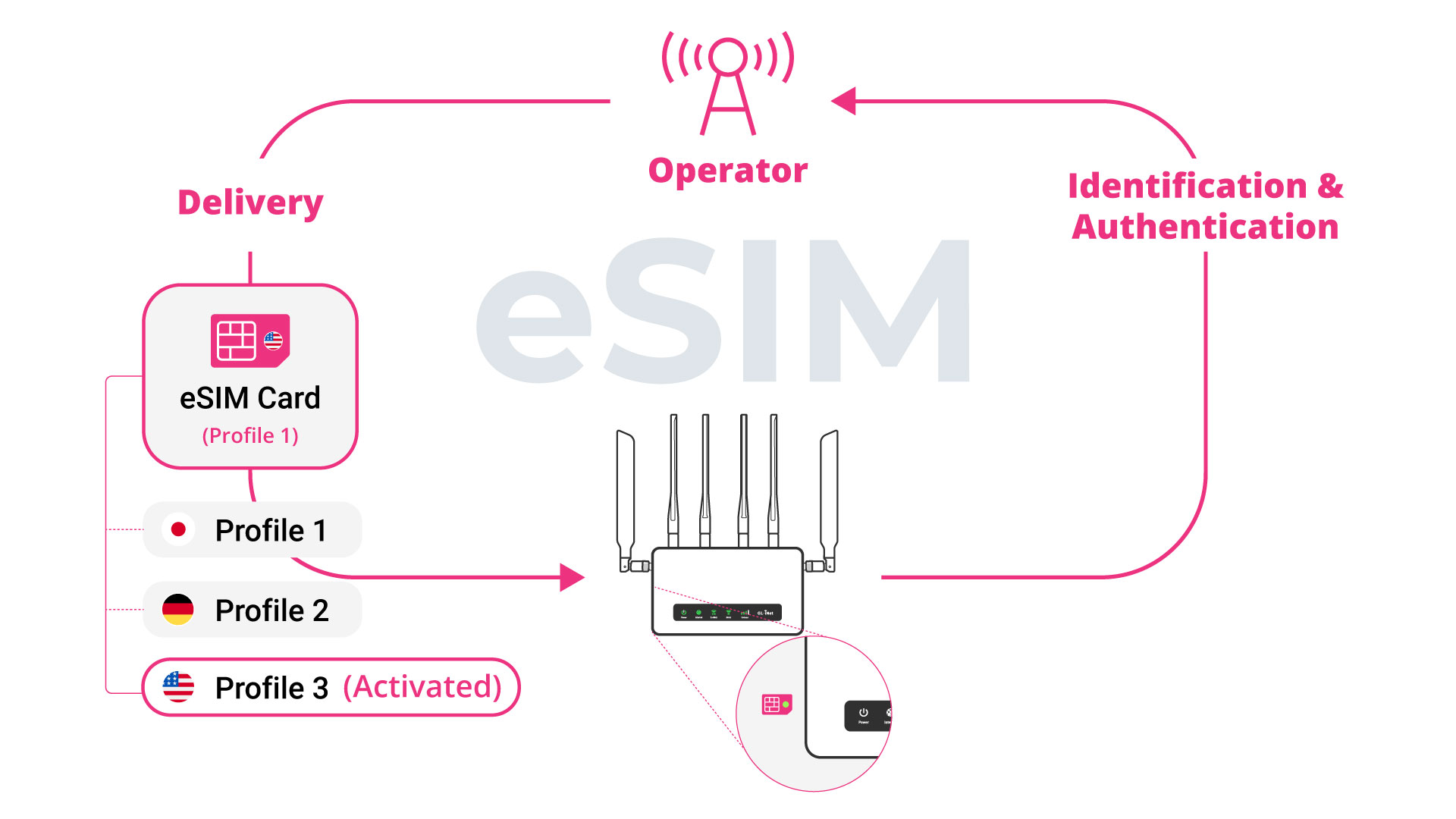
SIMPoYo eSIM Physical Card may look like a regular SIM card, but it’s packed with advanced eSIM functionality. Easily switch between up to 8 eSIM profiles without ever swapping cards. Preloaded with 1GB U.S./EU + 100MB Global data, it's ideal for frequent travelers, developers, and privacy-conscious users.
Explore More Features with the SIMPoYo eSIM Physical Card

4G/5G Compatible
No activation required - ready to use instantly
Connect to fast, stable 4G/5G networks worldwide

Multi-Profile Support
Store and manage up to 8 eSIM profiles in one card
Add, delete, or switch profiles with ease
Device Compatibility
GL.iNet routers: Easily manage eSIM profiles through the GL.iNet Admin Panel
Android phones: Unlock eSIM functionality on supported devices using our partner-developed app

Developer-Friendly
Unlimited profile rewrites - no write restrictions or locks
Fully open for integration, testing, and customization

Flexible Recharge
Top up with Global plans
Compatible with third-party eSIM profiles

Privacy-Focused
No personal information
No SIM registration
How Does the eSIM Physical Card Work with GL.iNet Routers?
01.
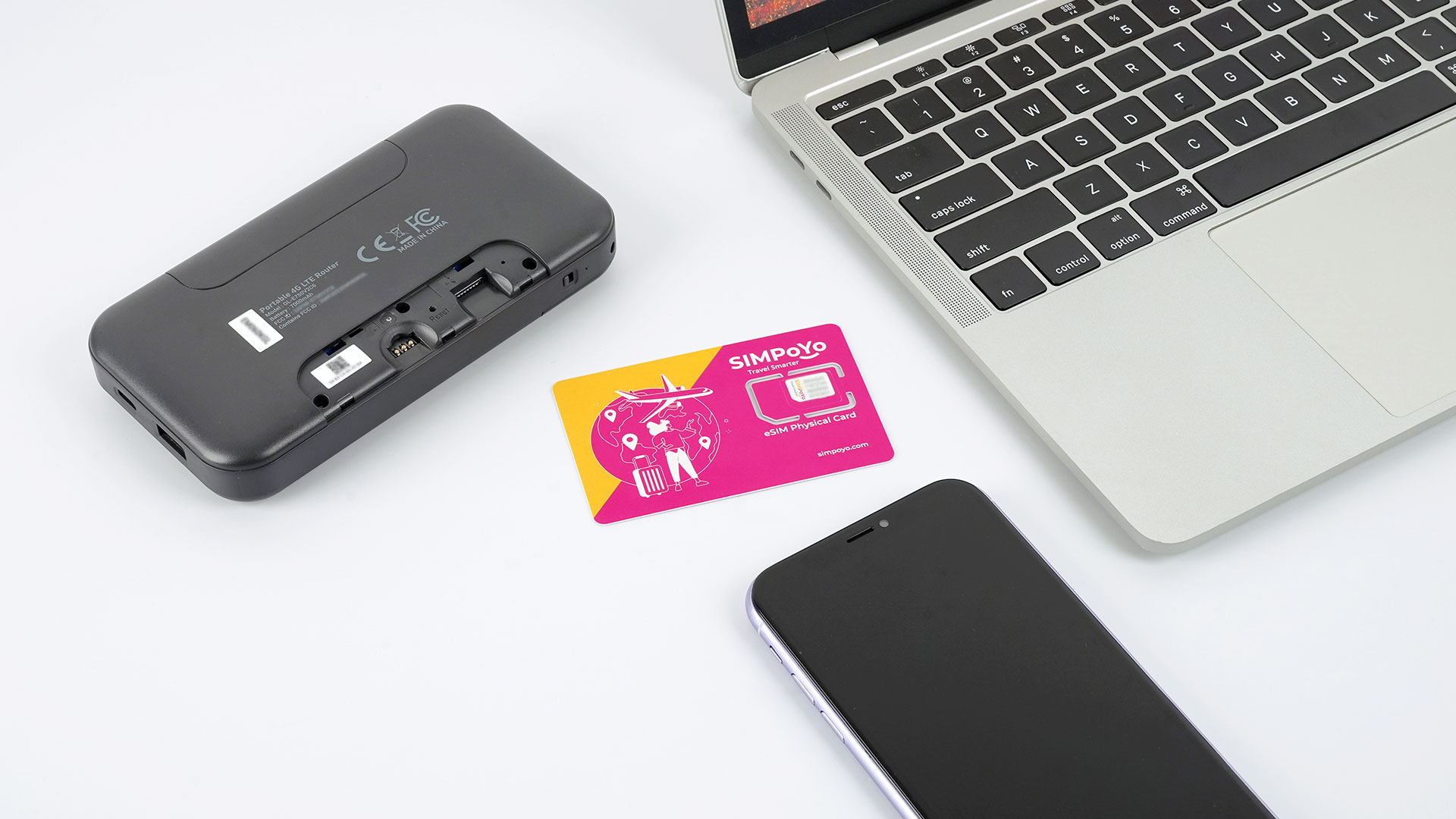
Insert the eSIM
If you're using a physical eSIM card, please insert it into the router. If you're using an eSIM chip, simply power on the device to begin.
02.
Access the Admin Panel
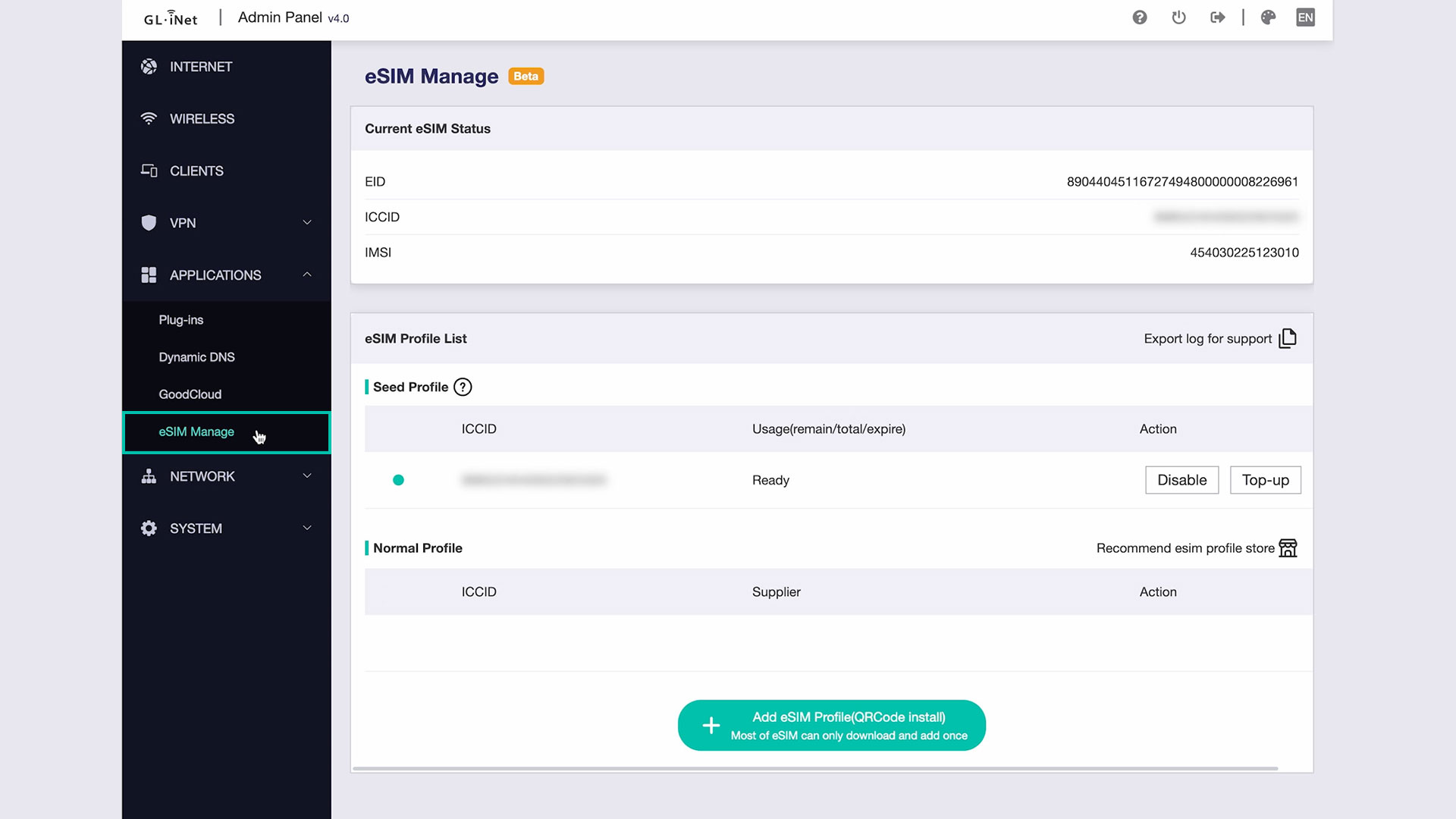
Open the Admin Panel on your router and navigate to "eSIM Manage" under the Applications section.
03.
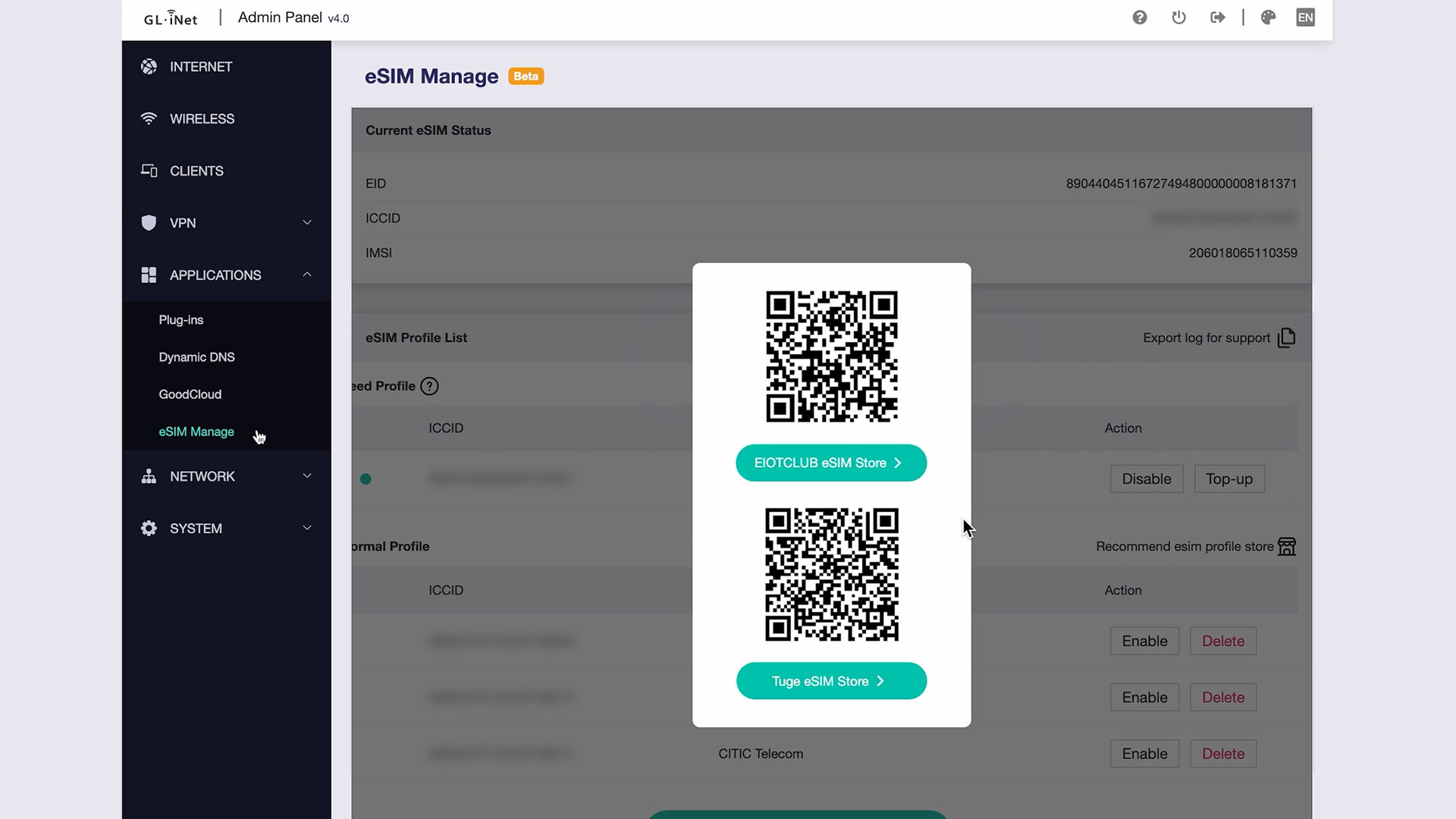
Purchase an eSIM Profile
Purchase an eSIM profile online and download the provided QR code.
04.
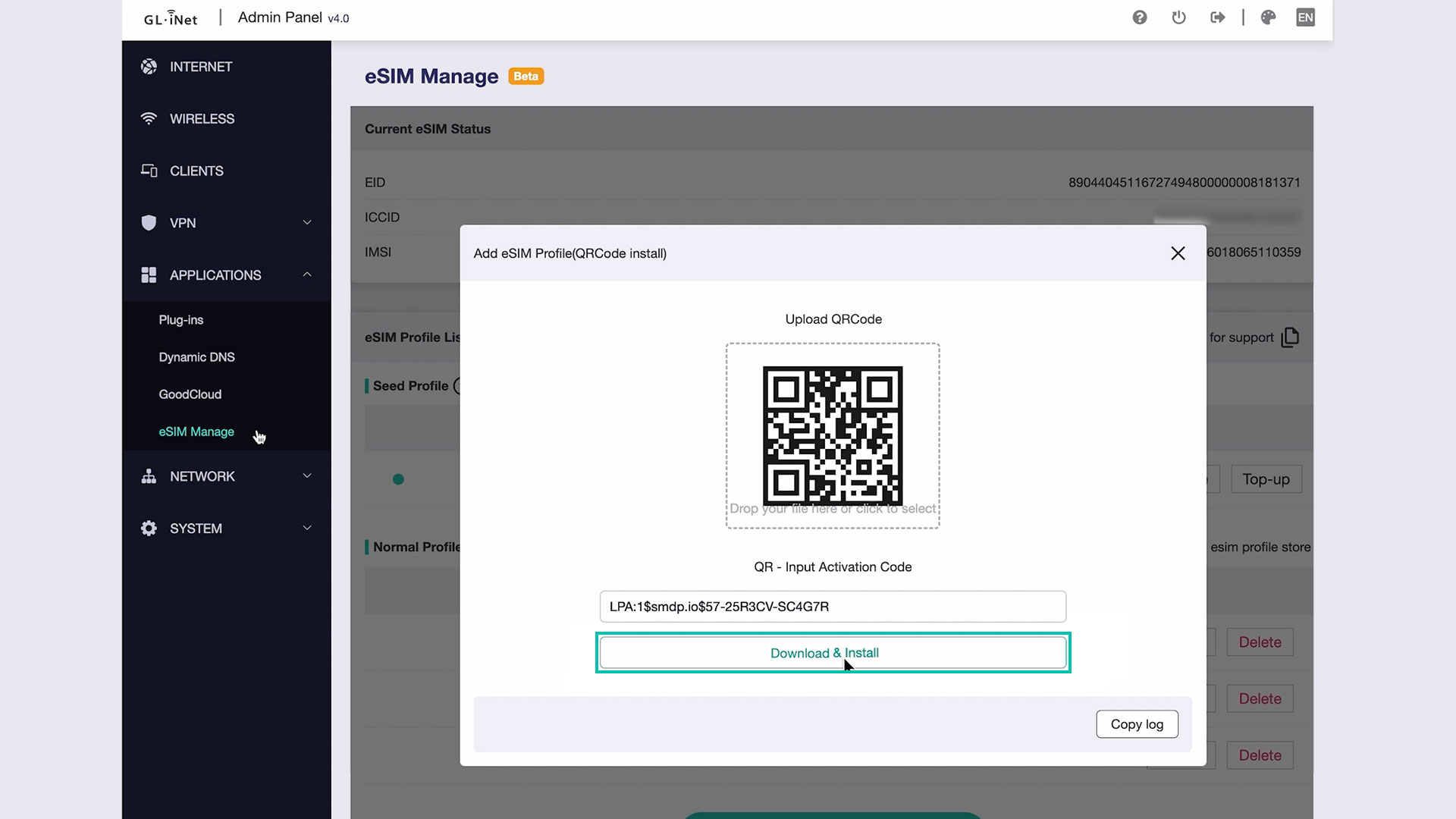
Download and Install the eSIM Profile
Use the Admin Panel to upload the QR code to your router, then download and install the eSIM profile.
05.
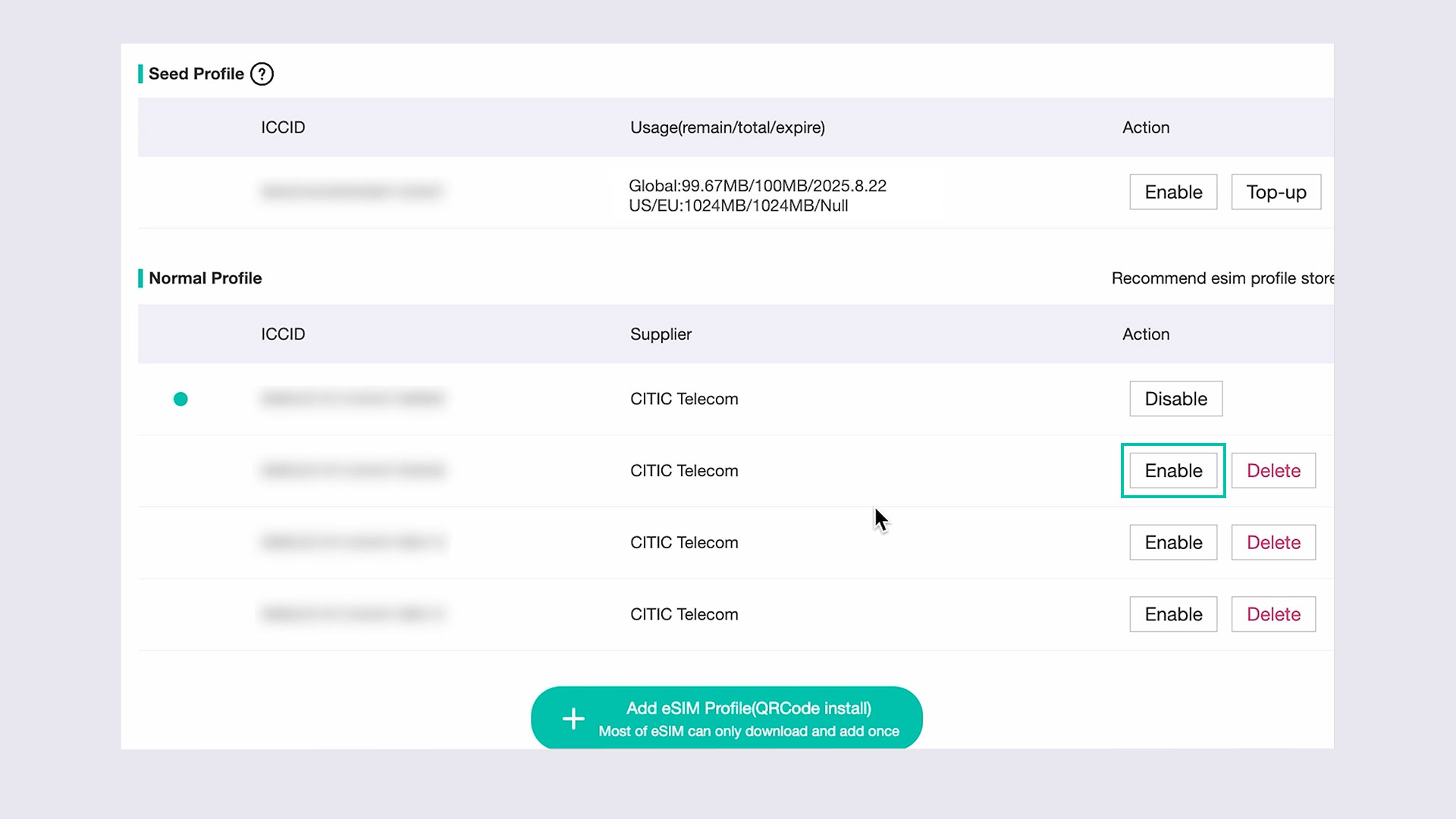
Enable and Connect
Enable the eSIM card in the Admin Panel and enjoy seamless internet connectivity.
How to Set Up Your eSIM Physical Cards for the First Time?
How to Set Up the SIMPoYo eSIM Physical Card with GL.iNet Router?
Prefer to read the full guide? Check out our documentation here
How to Set Up the SIMPoYo eSIM Physical Card with Android Devices?
Prefer to read the full guide? Check out our documentation here